Receipt scanning, done properly

Photograph a receipt.
Get every line item.

Budgetify turns a photo of a receipt into a line-itemized expense in about a second — merchant, date, total, every item and a category, folded straight into your month.

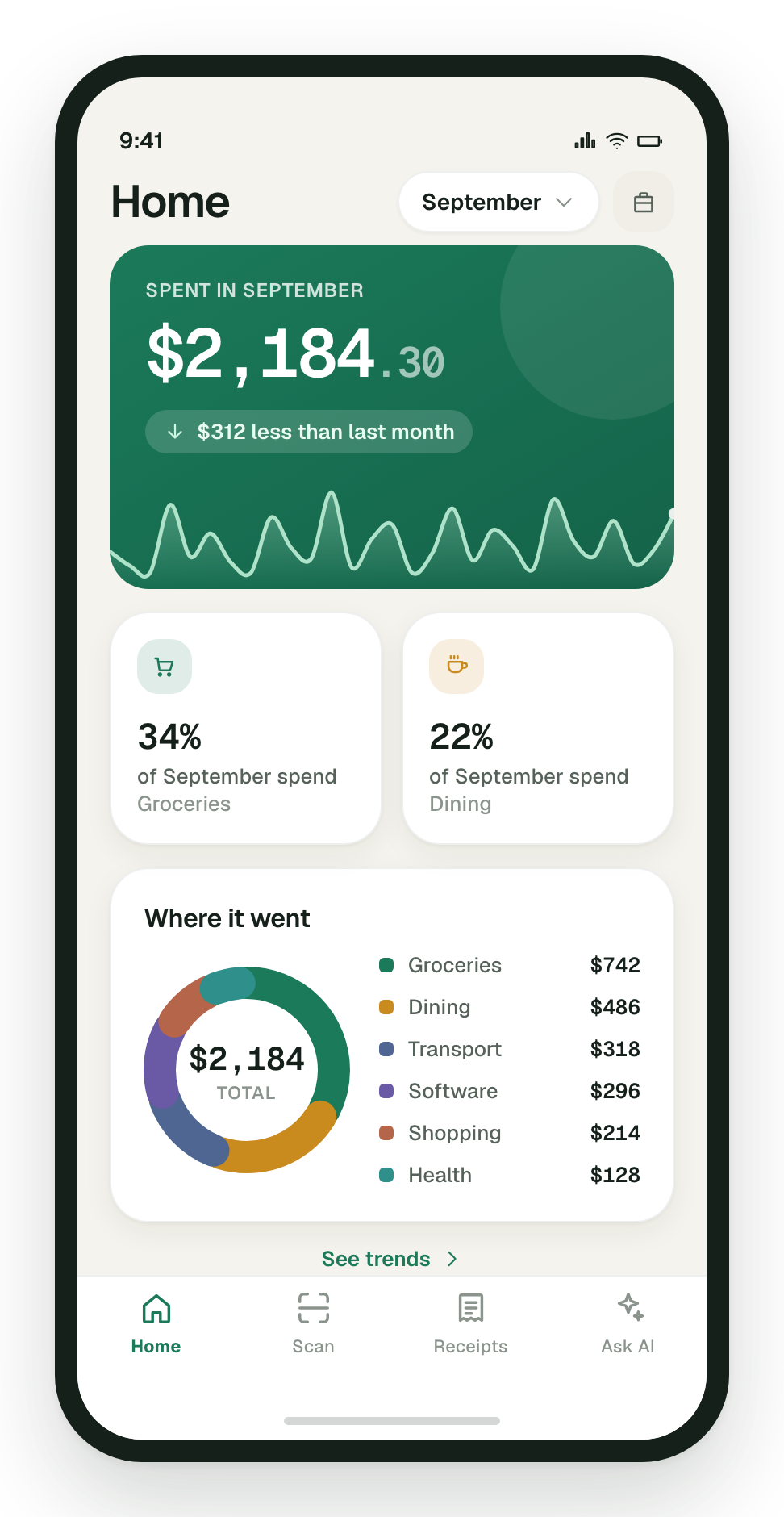
The Budgetify home screen showing September spend of $2,184.30 and a category breakdown
How it works

Three taps from paper to filed

The whole point is that you do almost none of it.

  1. Point and press

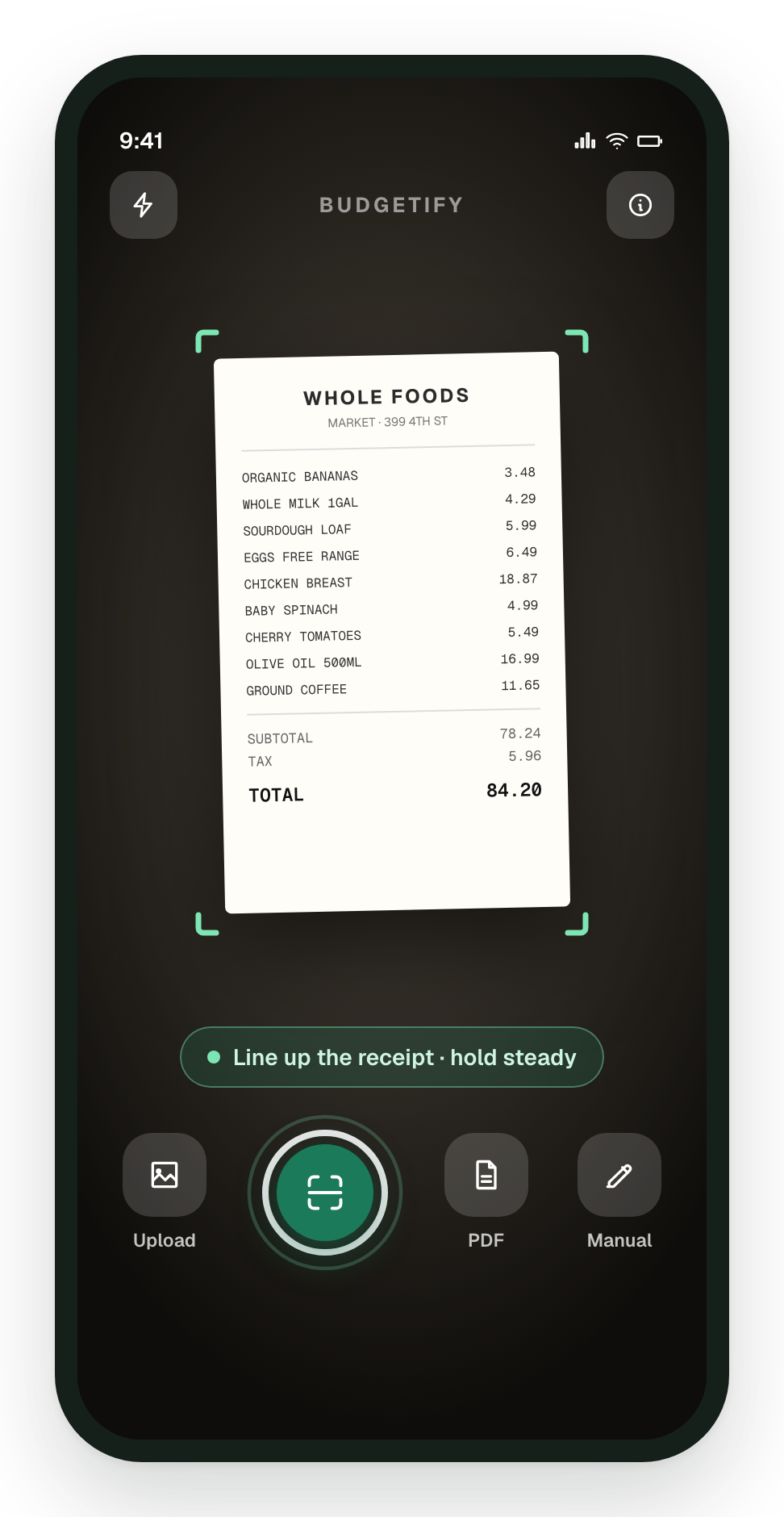
    The viewfinder frames the paper and you press once. Or pick a photo you already took, import a PDF, or type a cash expense in by hand.

  2. It reads the receipt

    Merchant, date, total, every line item, then a category — extracted automatically while you watch the steps tick over.

  3. Filed and counted

    The expense lands in your month, grouped by day and colour-coded by category, with the original photo still attached.

What you get

Everything on the receipt, not just the total

Capture

Capture it any way you like

No typing, no filing, no shoebox of faded thermal paper.

  • Photograph the receipt with the in-app camera.
  • Pick an image from your photo library instead.
  • Import a PDF — emailed invoices and statements work too.
  • No receipt at all? Add the expense by hand in seconds.
  • Leave the category on Auto and it is picked from the merchant name.
The Budgetify camera framing a Whole Foods receipt, with upload, PDF and manual-entry options
Trends

See where the money went

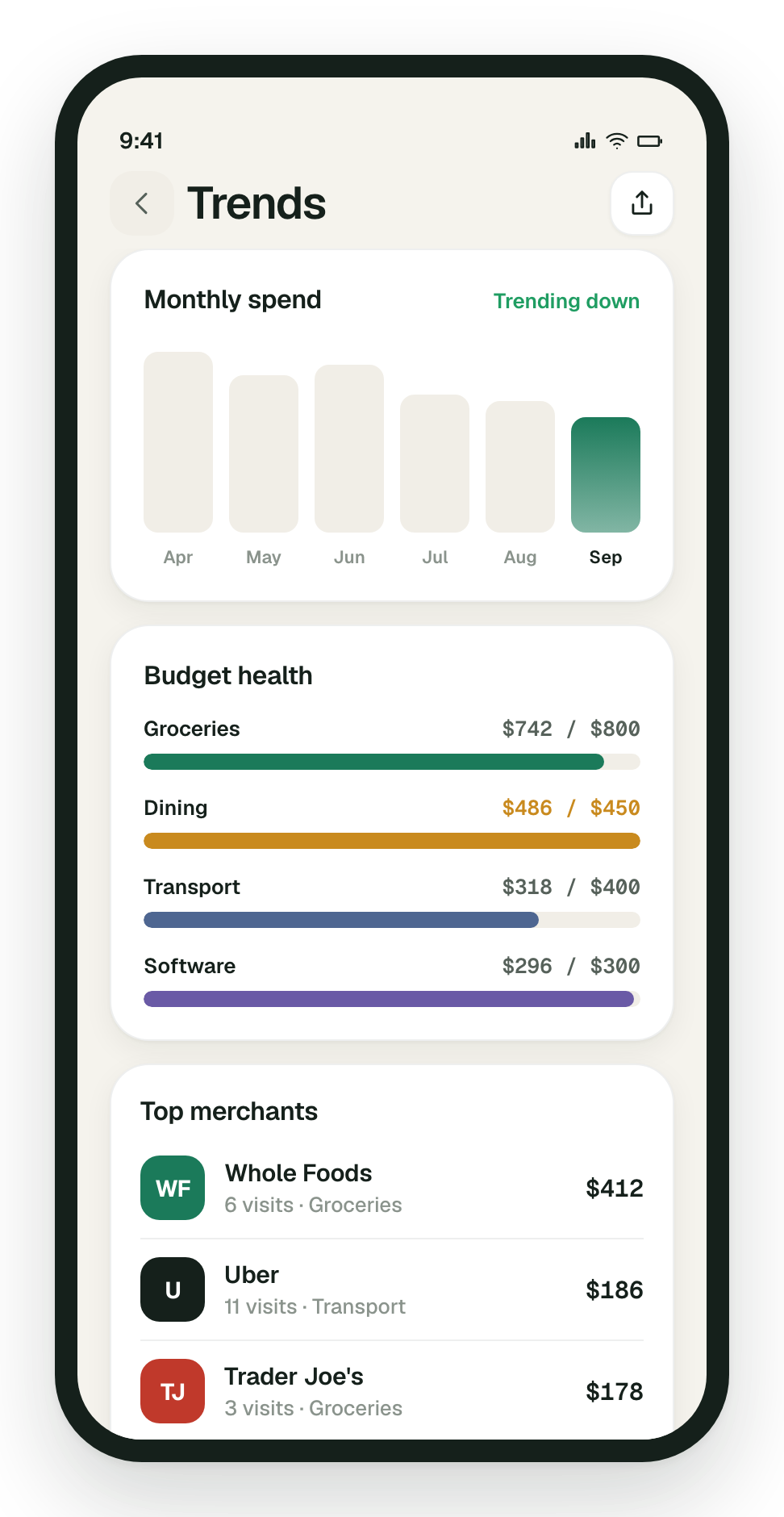
A running total for the month, how that compares with last month, and the split by category — then six months side by side.

  • Month-to-date total with the move against last month.
  • Category breakdown on the home screen.
  • Six months of spend as a bar chart.
  • The merchants quietly taking the biggest share.
The Budgetify trends screen showing six months of spend and top merchants
Budgets

Keep a limit in view

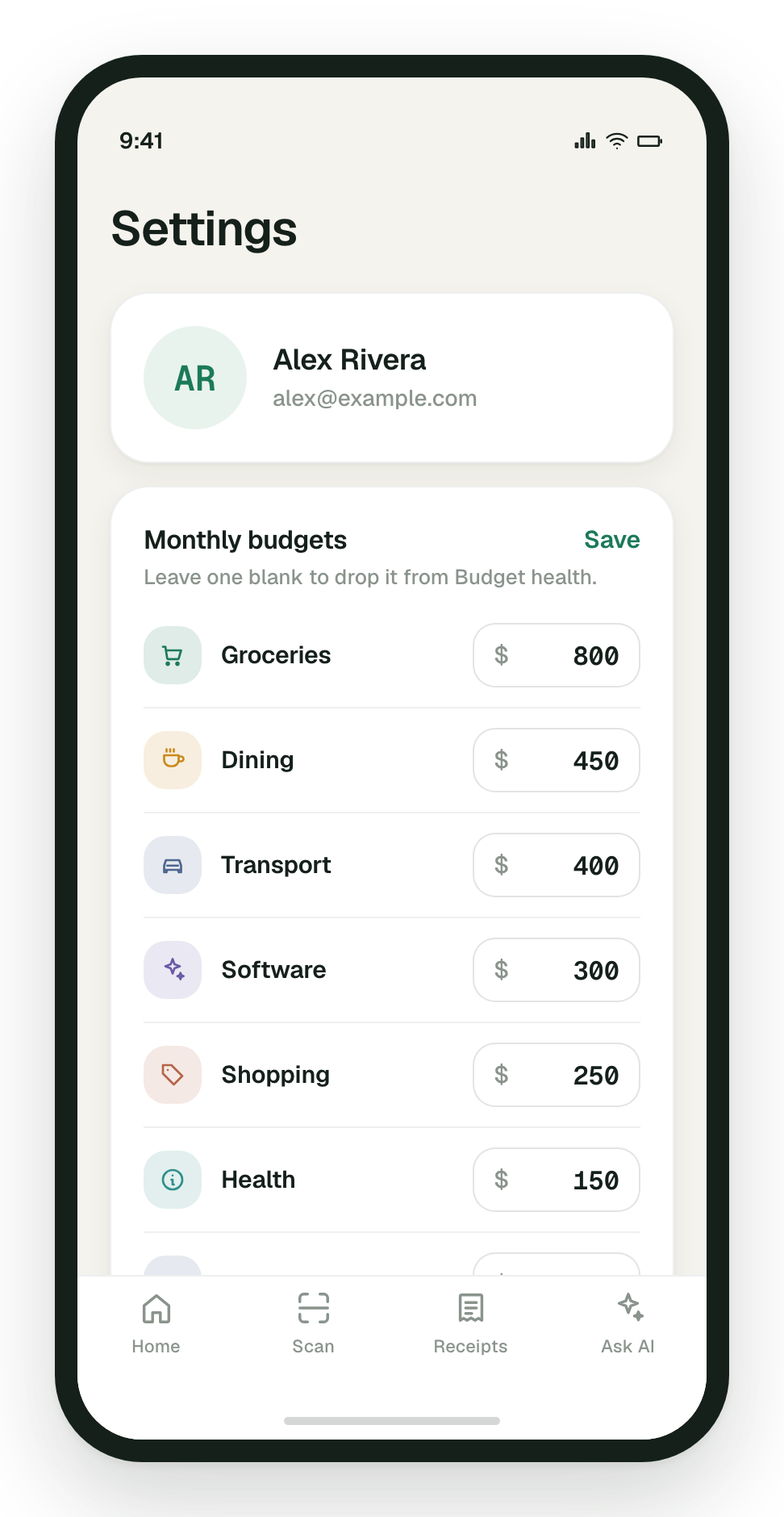
Set a monthly budget per category and watch each one fill up. Over-budget categories flip to amber before the month ends, not after.

  • One limit per category — groceries, dining, transport and the rest.
  • A meter per category showing how much of it you have used.
  • Amber the moment a category runs past its limit.
The Budgetify budgets screen with a monthly limit set for each category
Detail

Business and personal, kept apart

Flag a receipt as a business expense and filter the whole feed by it. The itemized detail and the original photo stay attached for when you need them.

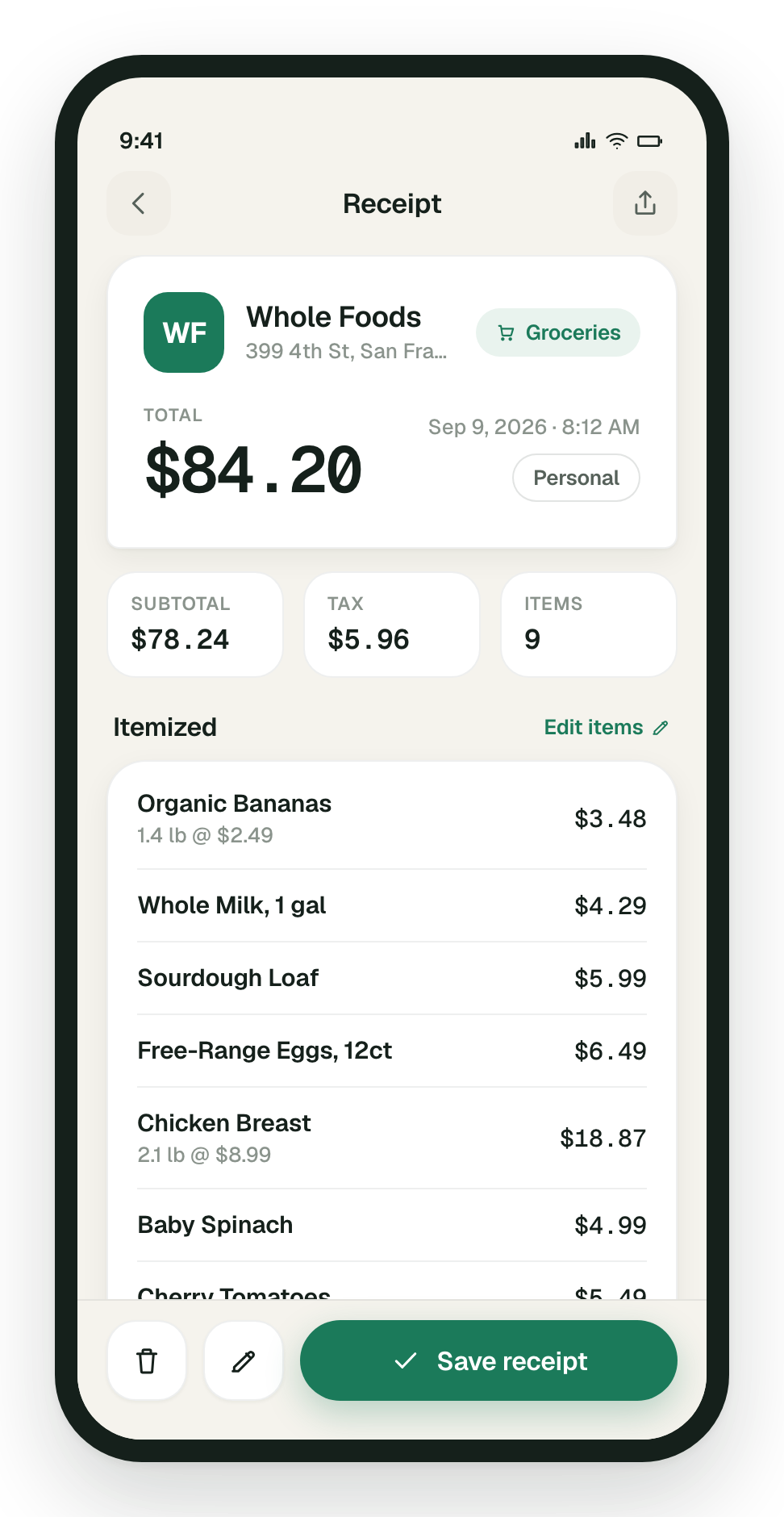
  • Every line item priced out, plus subtotal, tax and tip.
  • A business flag on any receipt, and a business-only view of the feed.
  • The original photo or PDF, kept with the expense.

A Budgetify receipt detail screen listing every item on a Whole Foods receipt

Your receipts are yours

A receipt is a record of where you were and what you bought. Budgetify treats it that way: your images sit in private storage, the app shows them to you through links that expire after fifteen minutes, and nothing about your spending is sold, shared for advertising, or handed to a tracker.

  • No ads, no trackersNo advertising SDKs and no third-party analytics in the app.
  • Private by defaultReceipt images live in a private container that is never publicly readable.
  • Stored in AustraliaYour data rests in Australia East (Sydney).
  • Delete it wheneverRemove a single receipt in the app, or ask us to erase the whole account.